
I Built a Run in iOS Simulator Button for Pull Requests
Reviewing an iOS pull request usually means stashing your work, checking out a branch, and waiting on Xcode. Presto lets you run the PR in an iOS Simulator with one click instead.
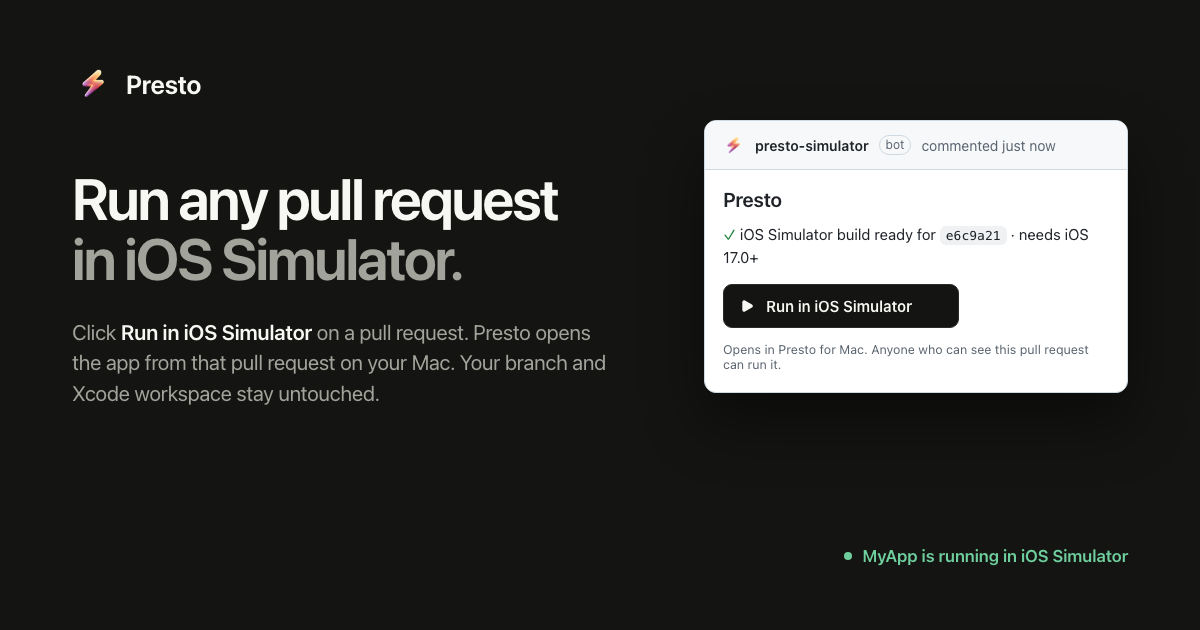
A few months ago, I kept coming back to a very small annoyance. I’d be reviewing an iOS pull request and want to try the change. Not inspect the diff or look at a screenshot, but actually run it.
Doing that usually means stopping whatever I’m working on, stashing changes, fetching someone else’s branch, checking it out, waiting for Xcode to index and compile, dealing with DerivedData or package issues, launching the app, then eventually switching back and rebuilding my own work. On a large project, a simple question like “does this screen actually feel right?” can become a 15 or 20 minute interruption.
This has been normal in iOS development for so long that I don’t think we question it much. On the web, a pull request can give you a preview URL. Why can’t an iOS pull request give you a running app?
That question became Presto.
Run the PR, not the branch
Presto puts a Run in iOS Simulator button on your pull requests. Click it and the build from that exact commit opens in an iOS Simulator on your Mac.
There is no branch switching, no local compilation, and no disruption to your local development state. Your CI builds the app, Presto makes that Simulator build available, and the Mac app takes care of getting it running.
Getting set up is intentionally lightweight. You connect your repository, add a small step to your existing CI workflow to publish the Simulator build, and install the Presto Mac app. From there, new pull requests can be launched directly into the Simulator.
The first time I got the whole flow working, from GitHub PR to a running iOS Simulator, I realized how much of my time had gone into just getting to the point where I could try a change.
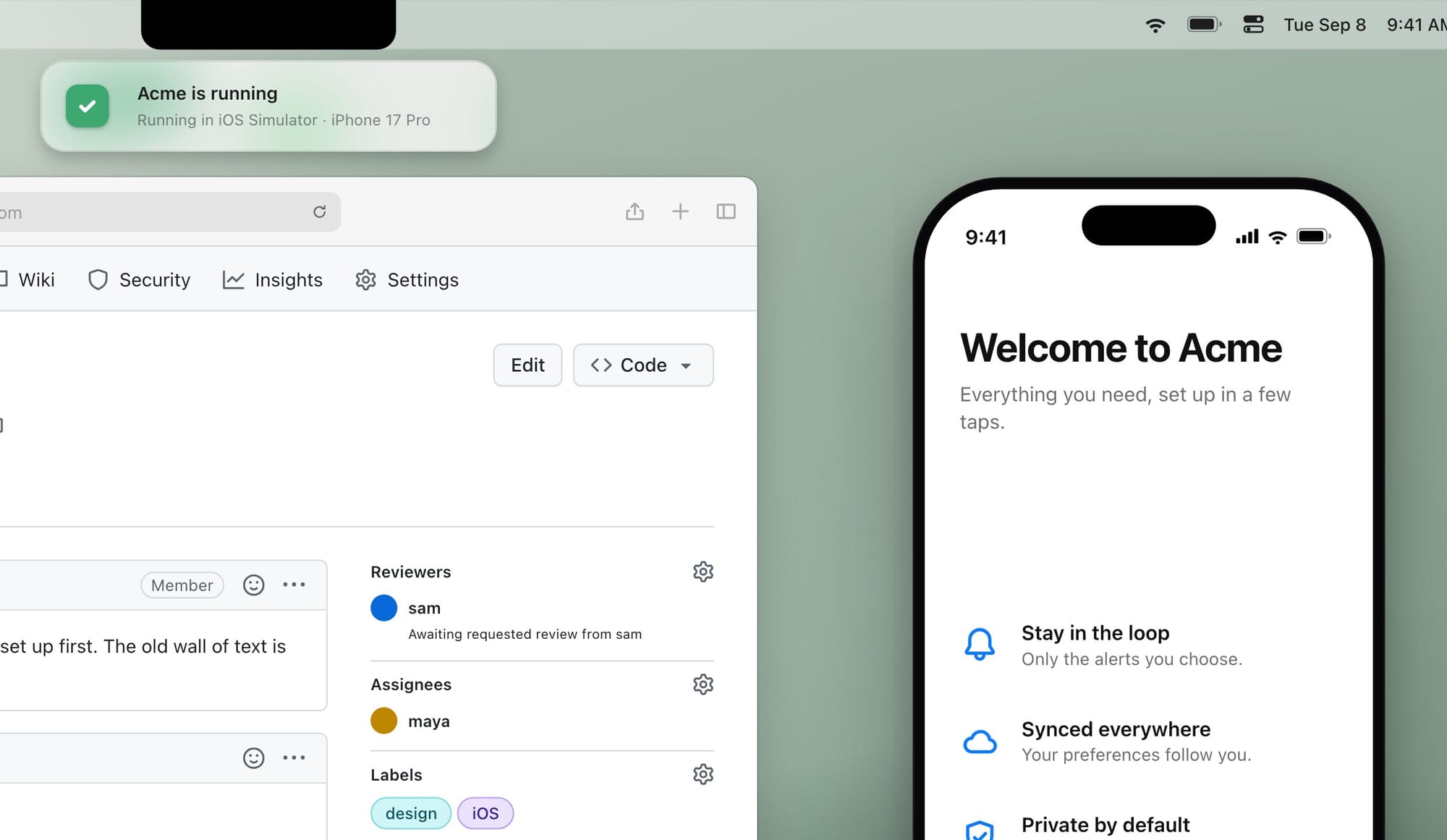
A diff only tells you so much
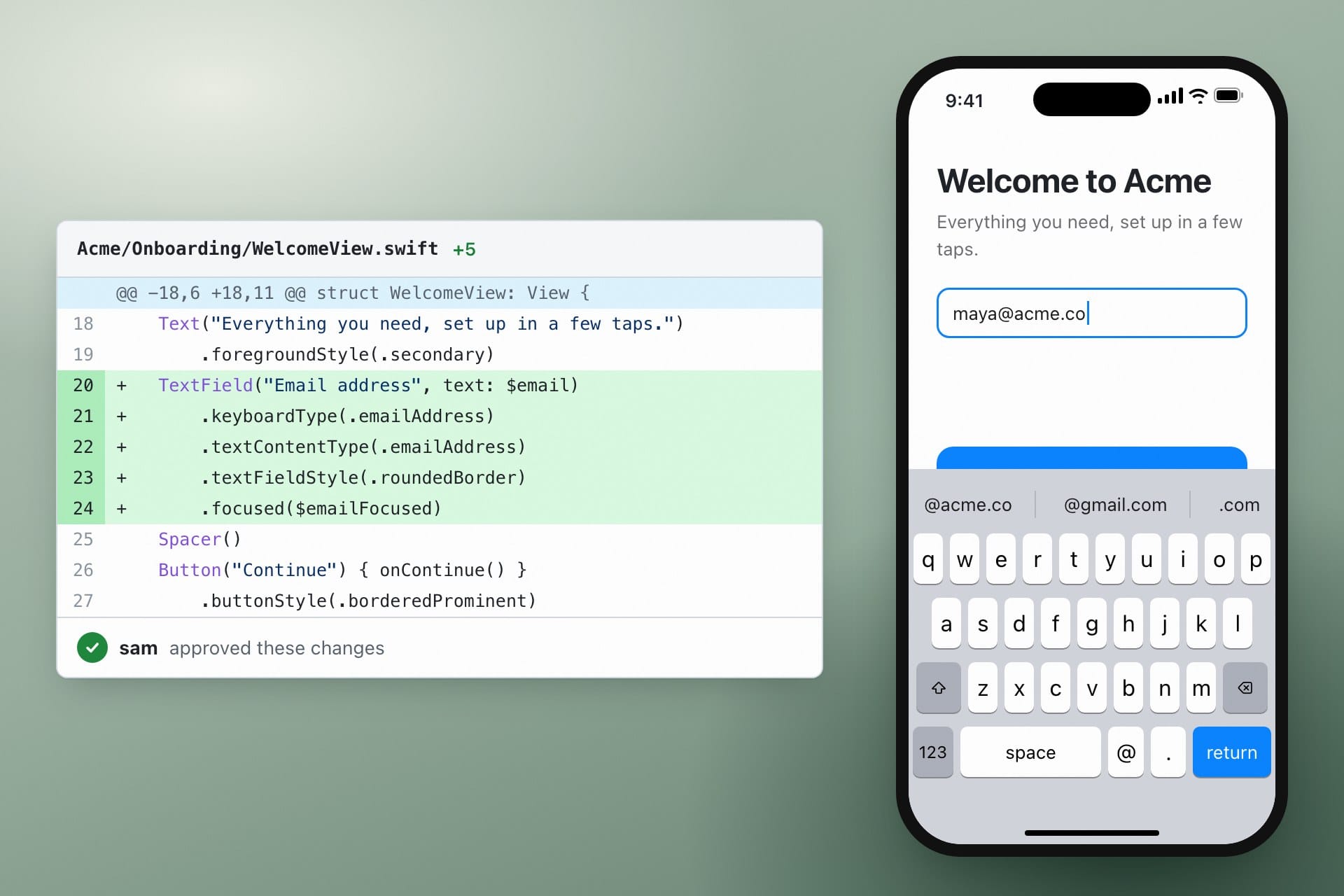
Code review is great for architecture, logic, APIs, and tests. It is much worse at answering questions about how software actually behaves.
Does the animation feel right? Does the layout break on a smaller device? Does the keyboard cover something important? Does the navigation behave correctly? Does the feature simply feel bad to use?
For those questions, you need to run the software.
Today, teams work around that friction with screenshots, screen recordings, TestFlight builds, QA handoffs, or engineers checking out each other’s branches. What everyone actually wants is much simpler: show me what this exact change does.
The branch, dependencies, build system, Xcode setup, and Simulator are all just infrastructure between the reviewer and that answer.
Borrowing a workflow from the web
A lot of the inspiration for Presto came from looking at how normal preview environments have become in web development.
A pull request can get its own URL. Anyone on the team can open it, click around, and see exactly what changed without needing to reproduce the author’s environment locally.
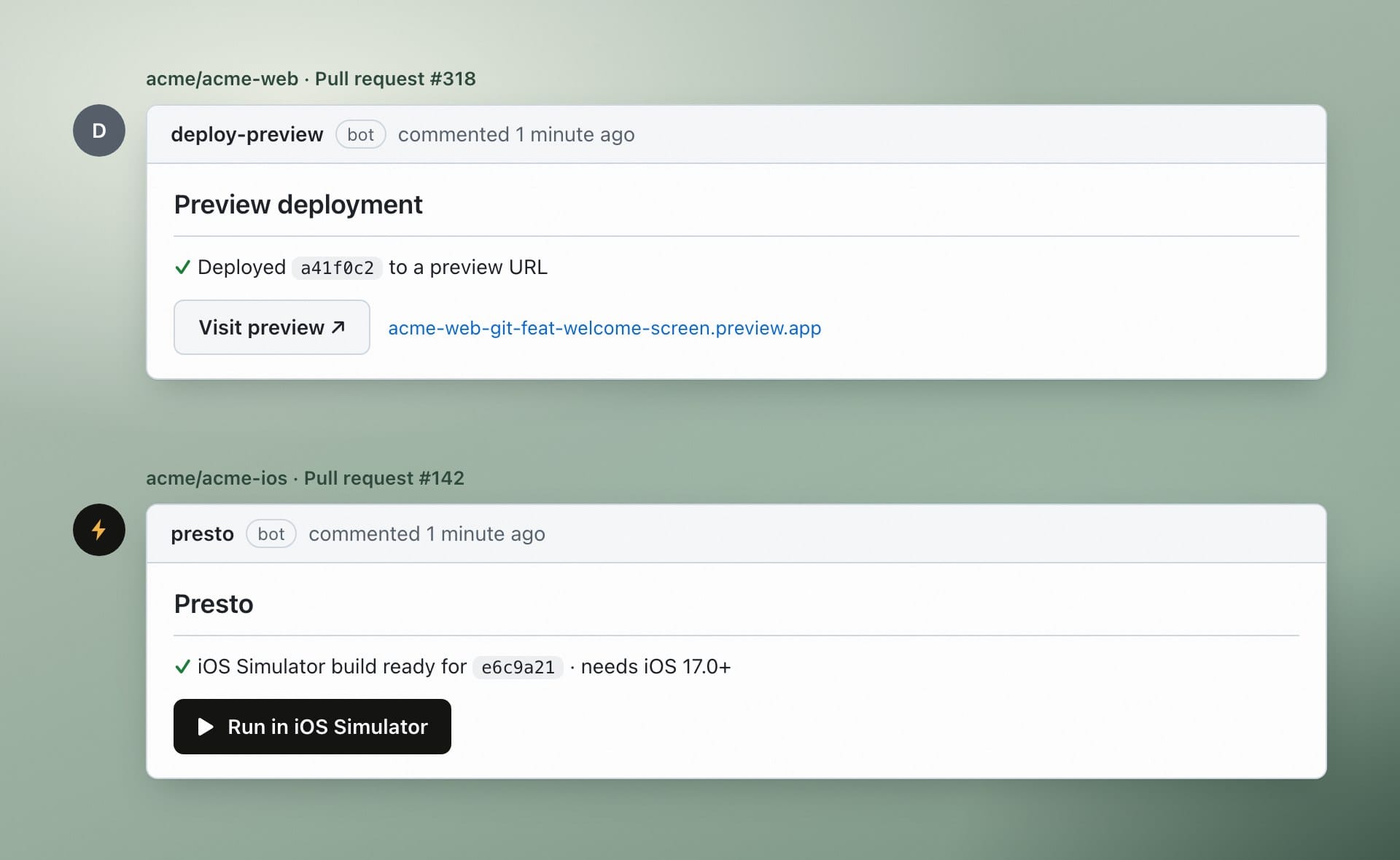
As an iOS developer, I have always wanted some version of that workflow.
Mobile has a different set of constraints. We have Xcode, Simulators, native dependencies, signing, and heavier builds. But the underlying idea still translates well: a proposed change should be easy to try.
That has also become more noticeable as coding agents have entered the workflow. Whether a change comes from another engineer or an agent, reading the diff is only part of the review. I still want to run it and validate that it works.
Imagine every pull request came with something you could run
That is the experience I want Presto to make routine.
A pull request is opened and the build is already there. A reviewer launches it immediately. A designer can try the change without cloning the repository. QA can reproduce an issue against the exact commit. A product manager can walk through the feature without waiting for someone to make them a TestFlight build.
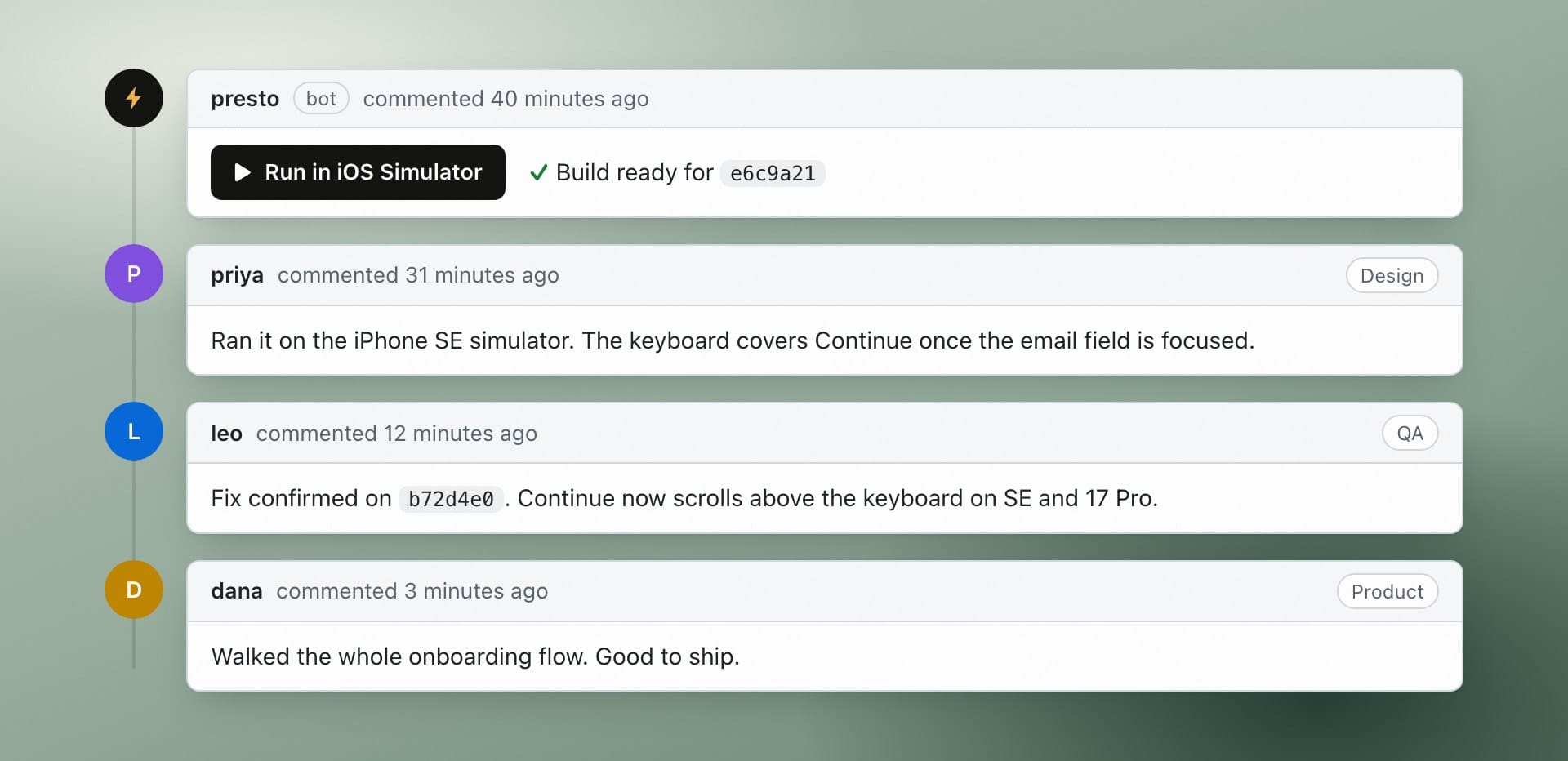
For engineers, it means less context switching. For everyone else, in-flight work becomes something they can try and validate themselves, long before it reaches TestFlight.
Presto is in beta
The first version of Presto is focused on one thing: get an iOS pull request running in Simulator with one click.
If you are an iOS engineer and you have ever looked at a pull request and thought, “I want to try this, but I really do not want to check out the branch,” that is the problem Presto solves.
Presto is still early, and I am looking for teams willing to try it and tell me where the workflow breaks down. I am especially interested in larger iOS projects, teams with slower builds, organizations where QA or design regularly needs access to in-progress work, and teams experimenting with coding agents.
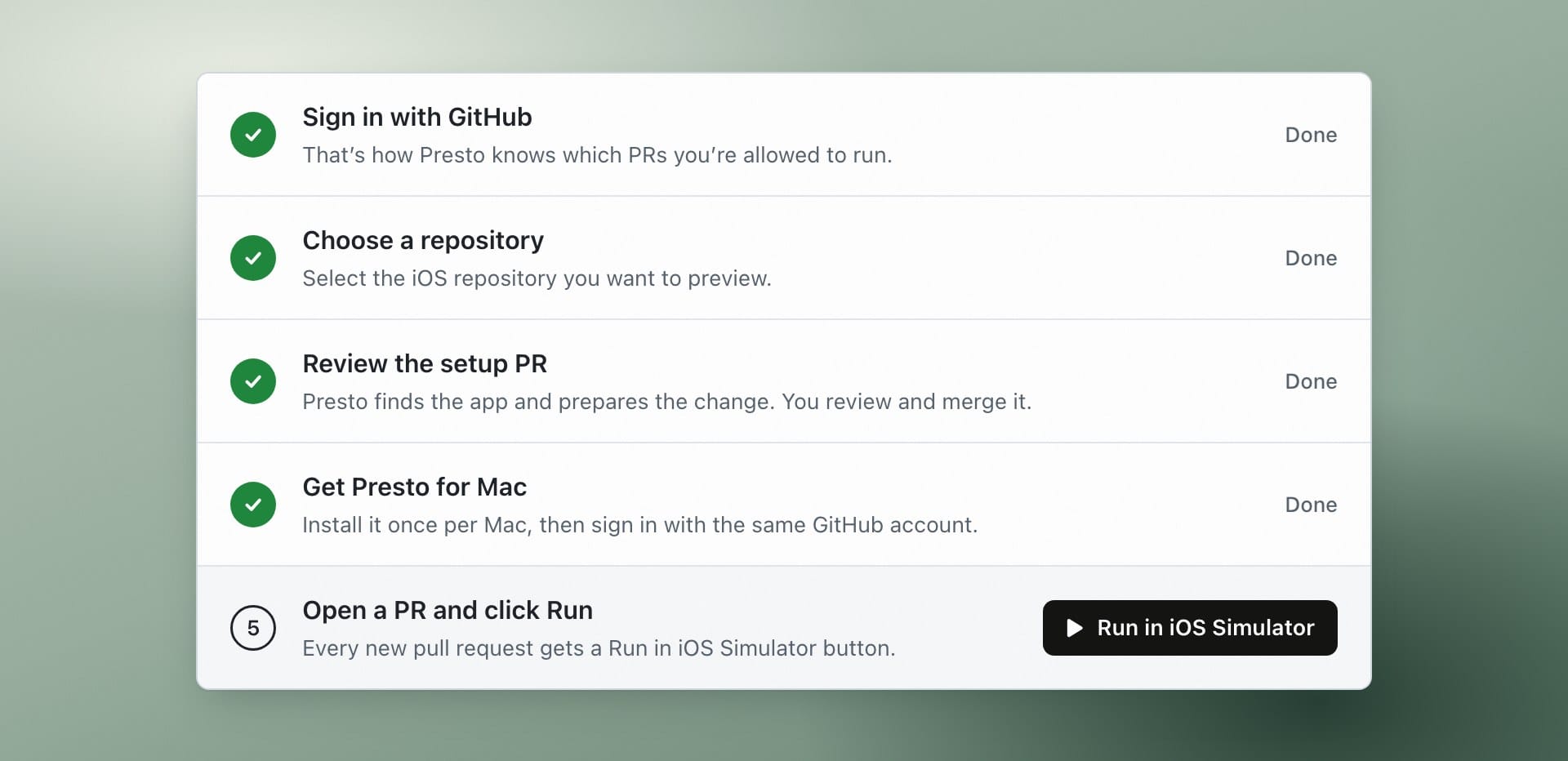
Pricing may change during the beta, but anyone can try it today on the free plan with one repository at usepresto.dev.