
Backtick: Code Formatter
In Beta
If you write about code in chat, you’ve probably experienced this:
You’re explaining something in Slack or Notion, focused on the idea you’re trying to get across — and only after you send it do you notice nothing’s formatted. Or you remember halfway through and start going back to wrap things in backticks.
Or you forget entirely and just hope the other person figures it out.
It’s not hard, and it makes your message more readable, but it pulls you out of the flow every time.
After doing this for years, I finally got annoyed enough to fix it. So, I built - Backtick - a lightweight macOS menu bar app that automatically wraps code-like text in Markdown backticks.
Select the text you want to format — or leave nothing selected to format the whole message — press the keyboard shortcut, and Backtick automatically identifies and formats:
functionNamesvariableNames--cli-flags/file/pathsSCREAMING_CONSTANTS- environment variables, versions, commands, and much more
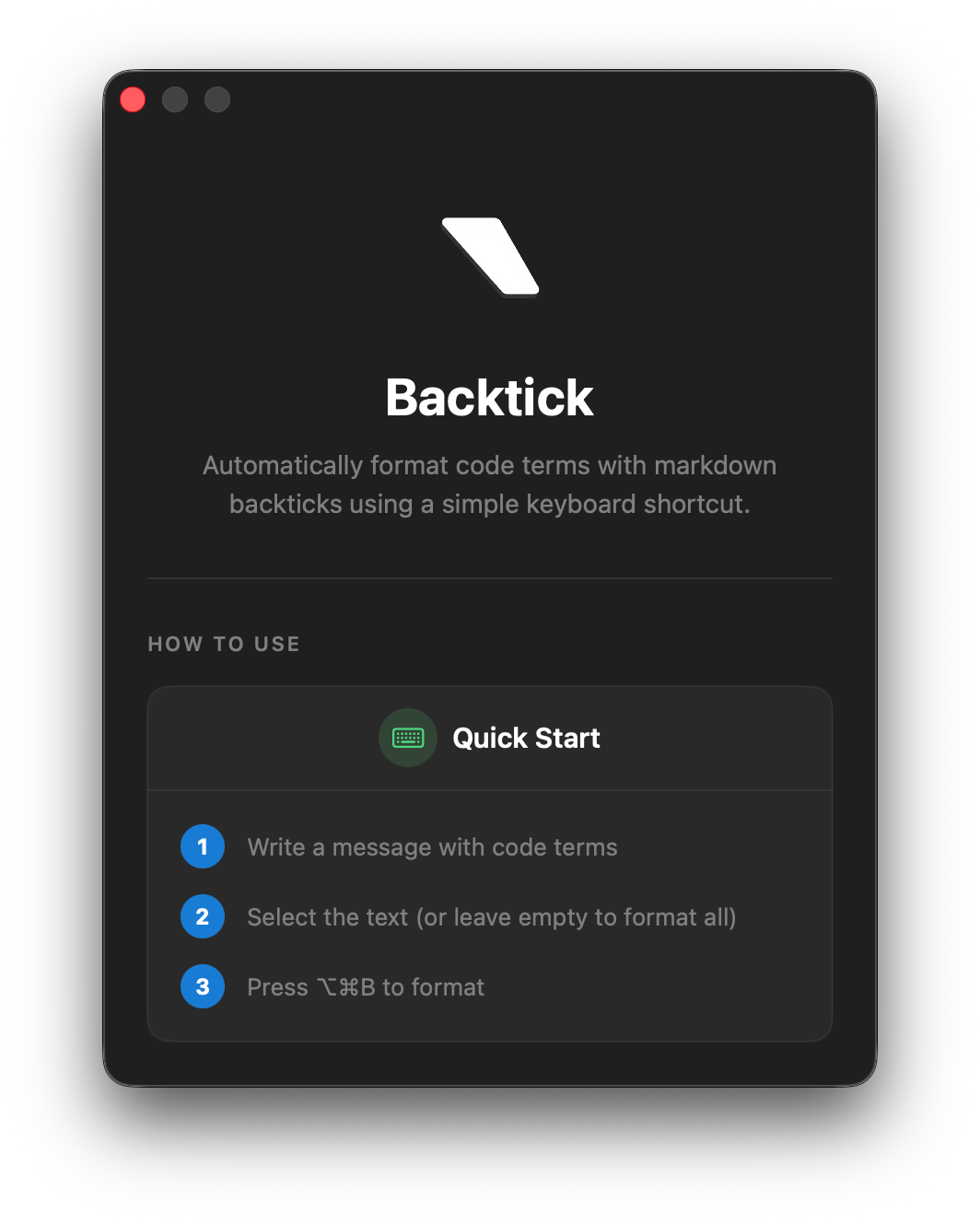
With just one (customizable) keyboard shortcut (⌥⌘B by default), all of the code terms in your text are automatically identified and formatted:
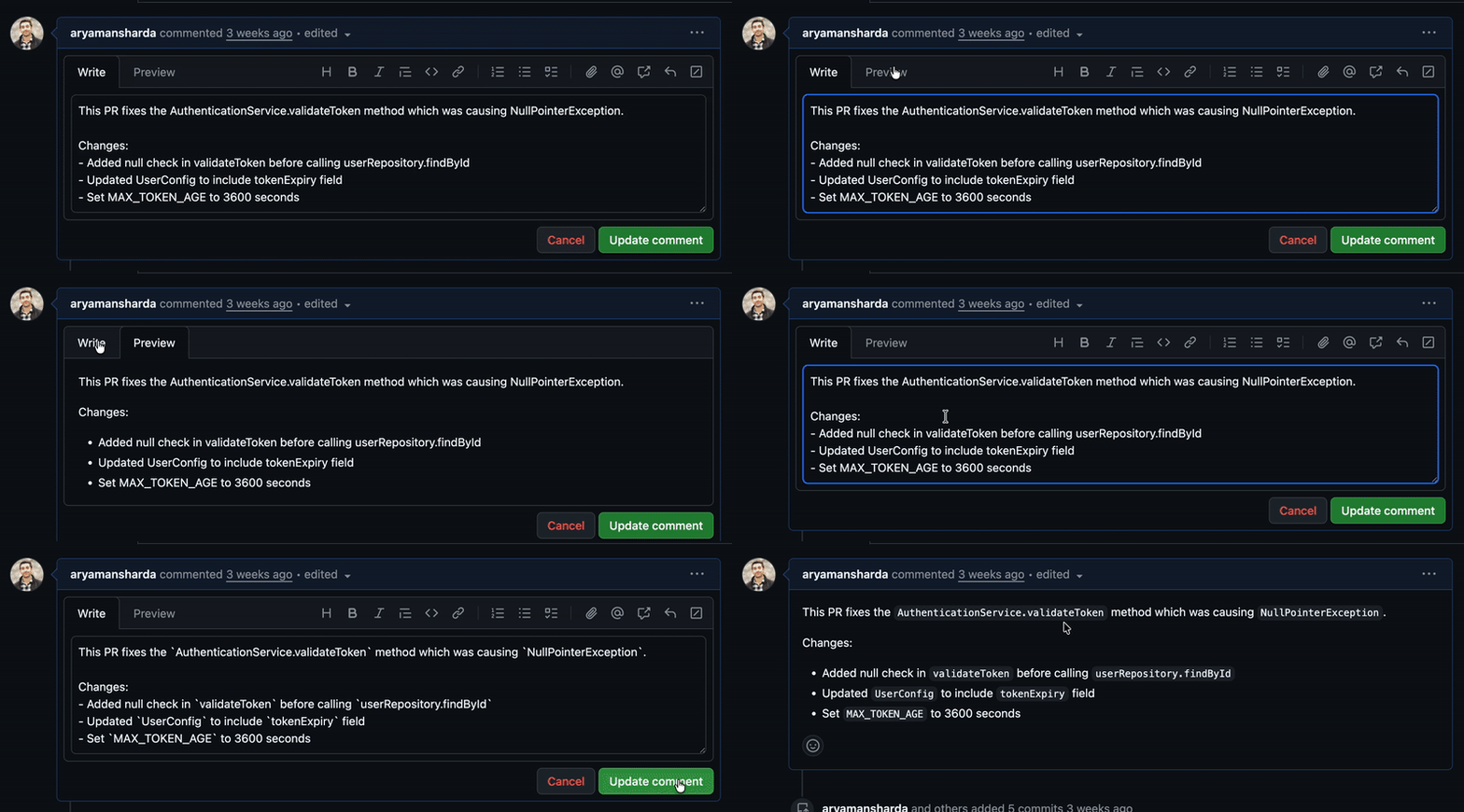
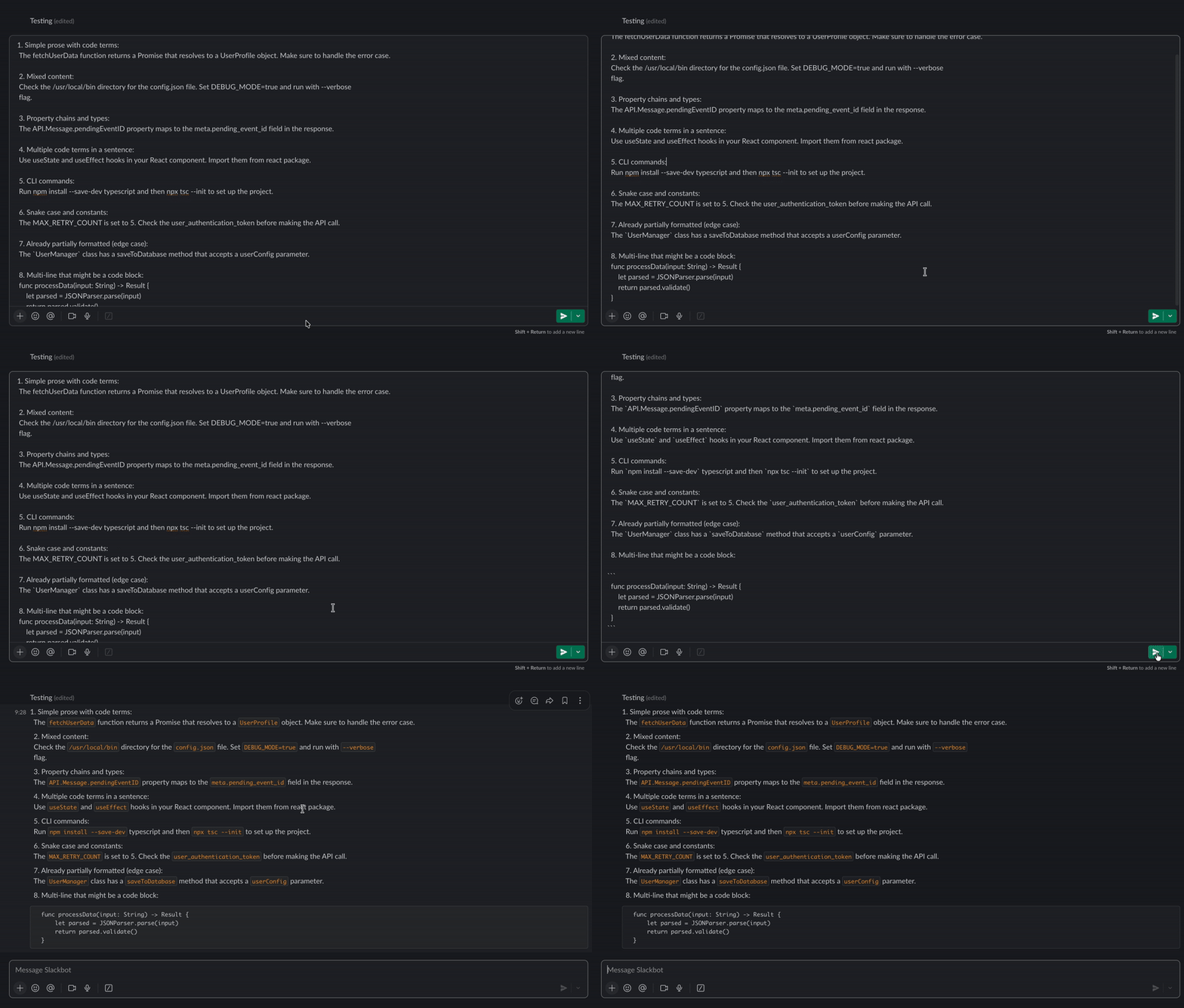
Backtick works at the system level via the macOS Accessibility APIs, so you can use it in all of the apps you normally use:
- Slack, Discord, Teams
- Notion, Bear, Obsidian
- Notes, TextEdit
- Websites like GitHub, Linear, etc
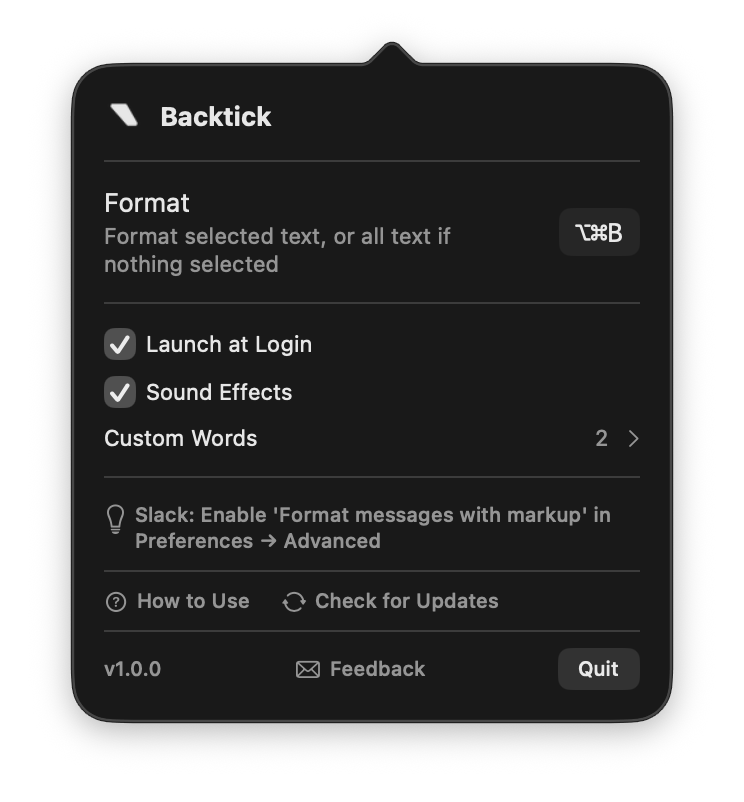
Most common code patterns are handled automatically, without any setup. But, if there are a few terms you want formatted differently, you can fine-tune it with simple allow and never-format lists (within the "Custom Words" section).
Getting Started
- Download Backtick
- Move the application to the Applications folder.
- Launch and grant
Accessibilitypermissions (System Settings → Privacy & Security → Accessibility). - Write normally
- Press
⌥⌘B - Stop thinking about backticks
Click here to download:

FAQ
Internet required?
No. Everything runs locally.
Already formatted text?
Skipped automatically.
Multi-line code?
Detected and wrapped in triple backticks with language hints.
Is it perfect?
Not quite. It’s a time-saver, not a mind reader — it gets most things right out of the box. It's currently still in Beta.
System requirements?
macOS 14.0 (Sonoma) or newer.
Feedback? Email me at [email protected]